
Measure area on a PDF
Measure area on a PDF floor plan.
See area and perimeter.
Calibrate the drawing, outline rooms or regions, and read scaled area measurements in imperial or metric units.
- Area and perimeter
- Imperial and metric
- CSV export
Open a PDF from your device and measure without uploading the file or creating an account.
How to measure floor plan area
Set the scale before drawing a room boundary so the measurements use real-world units.
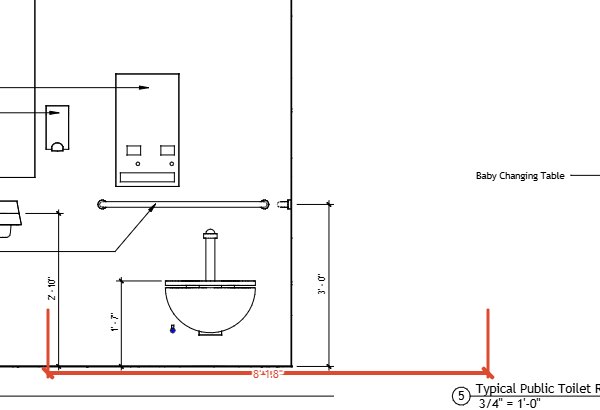
Calibrate the PDF scale
Choose two points on a known length, enter its real-world measurement, and save the scale. See the calibration guide below for the steps.
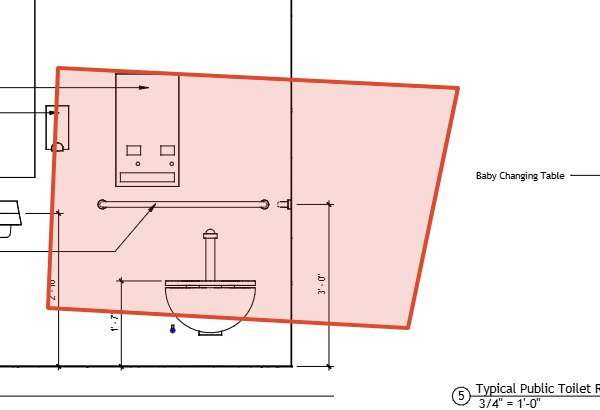
Outline the room or region
Draw a polygon around an irregular room, or use a rectangle or ellipse for a matching shape. Polygon and rectangle measurements include area and perimeter; ellipses include area.
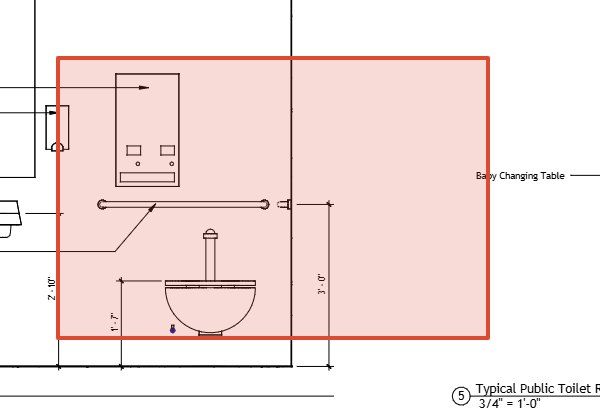
Read the scaled measurement
With a scale set, the markup list shows calculated area and perimeter for polygons and rectangles, and area for ellipses. Measurements use the selected imperial or metric units.
Export the markup list
Export the markup list to CSV to carry its computed area and perimeter values with the other measurement columns.
Area measurements from PDF markups
Choose the shape that follows the region you need to measure.
Irregular rooms
Use a polygon and place points along the room boundary. Its calculated measurements include area and perimeter.
Rectangles and ellipses
Rectangles calculate area and perimeter. Ellipses calculate area.
CSV measurements
Export the markup list as CSV with computed length, area, and perimeter columns.
Can I get square footage from a PDF floor plan?
Yes. Calibrate the drawing, then draw a polygon, rectangle, or ellipse. The markup list calculates the area using the saved scale and selected units.
Which shapes calculate area?
Polygons, rectangles, and ellipses calculate area. Polygons and rectangles also calculate perimeter.
Can I measure an irregular room?
Use a polygon and place its points along the room boundary. The polygon measurement includes area and perimeter after the PDF is calibrated.
Does the PDF need a scale embedded?
No. Set a scale in the tool using two points on a known length and its real-world measurement. Check the calibration against another known dimension before measuring.
Measure a room on your PDF plan
Calibrate a known length, outline the region, and read its scaled measurement.