
Calibrate PDF scale
Calibrate the scale of a PDF drawing.
Set a drawing scale from a known length, check it against another dimension, and apply it to the sheets or regions you plan to measure.
- Two-point calibration
- Scale presets
- Imperial and metric
How to calibrate a PDF drawing
Calibrate against a known length, then verify the result before measuring.
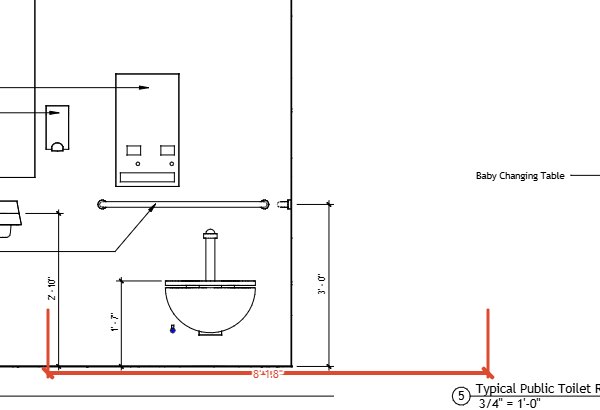
Choose a known length
Start calibration and mark two points at the ends of a labeled dimension or scale-bar segment. Enter the real-world length shown on the drawing.
Set the scale
Use the two-point calibration or select a metric, imperial architectural, or imperial engineering preset. Choose the unit system used by the drawing.
Check another dimension
Measure a second labeled length and compare the result with the value printed on the sheet. If they do not agree, check the endpoints and calibrate again.
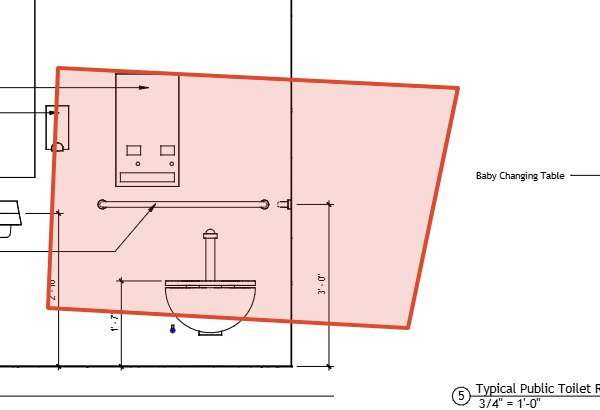
Apply the scale where it is needed
Apply a scale to all sheets or a selected range. For a sheet with different viewports or a named region, set a separate scale for that viewport or region.
Scale controls for PDF drawings
Use a scale that matches the sheet or the particular view you are measuring.
Two-point calibration
Choose the endpoints of a known length and enter its real-world measurement.
Scale presets
Choose from metric, imperial architectural, and imperial engineering scale presets.
Sheet, viewport, and region scales
Apply a scale to all sheets or a range, or set a separate scale for a viewport or named region.
Does a PDF need to have a scale embedded?
No. You can calibrate by marking two points on a known length and entering its real-world measurement. You can also select a scale preset.
How can I check a PDF scale?
After calibration, measure a second known dimension and compare the result with its labeled value.
Can I apply one scale to multiple sheets?
Yes. The scale dialog can apply a scale to all sheets or to a selected range.
Can one sheet have two scales?
Yes. You can set a separate scale for a PDF viewport or a named region on the page.
Check the scale before measuring
Use a known length for calibration and a second dimension to check the result.